Copying an Edition Category
General
You can easily copy an existing category of your hotel newspaper to create a new seasonal version.
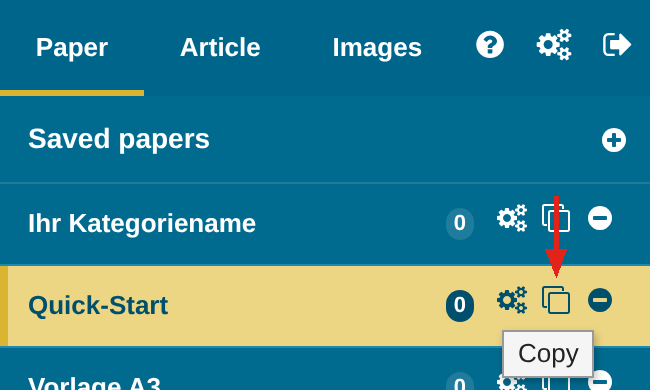
For example, you want to reuse last winter’s hotel newspaper in broad strokes and only make small adjustments? Then simply copy the edition category with the copy icon, give it a new name and make the changes you want.
IMPORTANT – copying carries over the category’s settings and all article recurrences, but not the saved editions. Articles without an article recurrence therefore do not appear in the copy.
E-Paper: In the copied category the E-Paper is initially switched off – so two categories never upload at the same time under the same URL name. For the change of season, disable the E-Paper in the old category and enable it in the new one. Find out how in the quick guide E-Paper under “Settings for the Change of Season”.
All layouts can be filled independently of each other with their own articles, article recurrences, different nameplate images etc.
But individual articles can also be used in different layouts at the same time; these articles are linked to each other.
CAUTION: If the content of the articles is changed, the change takes effect everywhere the article is used. More on this below.
Editing the New Category
Changing existing articles
In the new edition, click “Edit” in an existing article and change the content, e.g. to adjust a price for the new season.
CAUTION – this change is also carried over to the original edition, because copying does not duplicate the articles but reuses them!
Creating a new article
If you would rather create a new article that does not affect the original edition, first set the existing article’s recurrence to “No recurrence” and then delete the article from the layout.
Now you can create a new article in the free space.
Using the Same Articles in Different Layouts
If you use an article in several edition categories, these articles are linked to each other, and changes to the article in one edition also take effect in other editions. This also applies to copied categories.
Find out what this means for you, and why you can no longer change the size of such an article, in the quick guide “Using Multiple Layouts”.