Using the Calendar
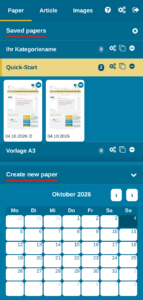
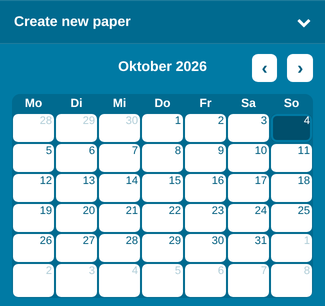
With the “Create new paper” calendar in the lower part of the “Paper” section, you can create as many NEW editions as you like for any day. Click the heading “Create new paper” to fold the calendar away and open it again; your browser remembers your choice.
TIP: To load editions you have already saved, click the edition in “Saved papers”.
How editions are stored
The editions in “Saved papers” are sorted by edition date, newest first. Older editions are loaded as you scroll.
We recommend saving the finished PDFs of each day locally, so that you can refer back to them later! That way you can, for example, quickly check a year later what was in your hotel newspaper on a particular day in the past (e.g. last Christmas, etc.)
Deleting old editions automatically
To keep “Saved papers” tidy, you can have old editions deleted automatically: open the settings of the edition category (gear icon), tick “Enable” under “Automatic Cleanup” and enter under “Cleanup after number of day(s)” after how many days an edition should be deleted. The automatic cleanup runs every night.
Creating a New Edition
In the calendar, click the date of the edition you want to create.
Hotelmedia News now loads the corresponding layout for a NEW edition of that day.
All articles with an article recurrence for that day, the weather, sudoku etc. are loaded into the layout automatically.
TIP: Today’s date is highlighted in the calendar.
Creating Several Editions for One Day
You can create as many editions for one day as you like.
Each time you click the date in the calendar, a new edition is created for that day and filled with the article recurrences assigned to it.
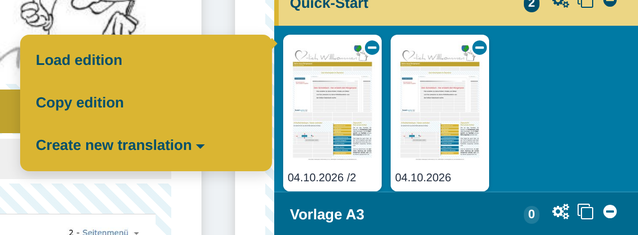
If several editions are saved for one day, “Saved papers” shows this by adding a sequential number to the edition date.
TIP: To load an edition you have already saved, click the edition under “Saved papers” and choose “Load edition”.
What is this useful for?
If, for example, you have two different groups of guests in the hotel, a seminar, etc., you can create a separate daily edition for each group with partly different content, e.g. a special menu, activities etc.
IMPORTANT: Every edition of a day is loaded with its article recurrences. If you delete an article with an article recurrence in one of these editions, it is only removed from that edition – the article recurrence remains (you will see a notice). If you want to end the recurrence, set “No recurrence” in the article menu.
Loading a Saved Edition
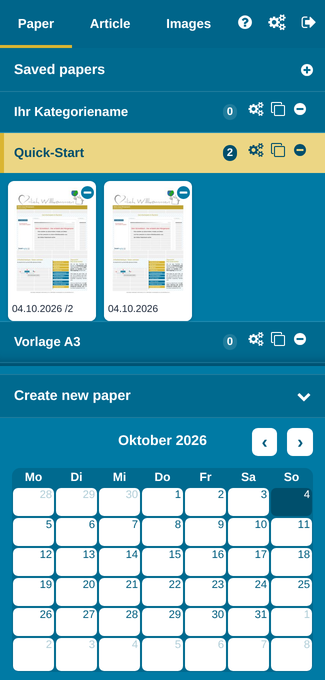
Saved editions are shown as an icon of the front page with the date of the edition. If several editions have been created for one day, a sequential number appears after the date.
Loading a saved edition
Click the icon of the saved edition and choose “Load edition” – the saved edition is shown in the layout area and can be edited further from there.